Integrating WMS with EasyEcom (Nexar Logistics)
Overview
This integration enables Nexar Logistics WMS to integrate with EasyEcom for order fulfilment.
In this setup:
- EasyEcom acts as the Order Management System (OMS).
- Nexar Logistics operates the Warehouse Management System (WMS).
- Nexar manages multiple brands while using EasyEcom as the OMS.
Through this integration:
- Product master data may be fetched from EasyEcom to the WMS for product identification and warehouse processing.
- Inventory updates are not handled through this integration.
- Orders can be fetched from EasyEcom for warehouse processing.
- Shipment confirmation and dispatch updates are synchronized.
- Return processing and return status updates are not handled through this integration.
When to Use This Integration
This integration is used when:
- Warehouse operations are handled through a third-party WMS such as the system operated by Nexar Logistics.
- EasyEcom is used as the central order management system.
- Order fulfilment activities such as picking, packing, dispatch, and returns are performed in the WMS.
Operational Context
In this integration model:
| System | Role |
|---|---|
| EasyEcom | Manages order imports from sales channels and routes orders for fulfilment |
| Nexar Logistics WMS | Performs warehouse operations including picking, packing, and dispatch |
Integration Setup in EasyEcom
Before the integration is implemented, certain details from EasyEcom must be shared with the WMS team.
API User Credentials
An EasyEcom user account must be used for API authentication. (Ref. Adding New Users and Defining User Roles)
The following credentials must be shared with the WMS team:
- API user email
- API user password
These credentials allow the WMS to authenticate with EasyEcom APIs.
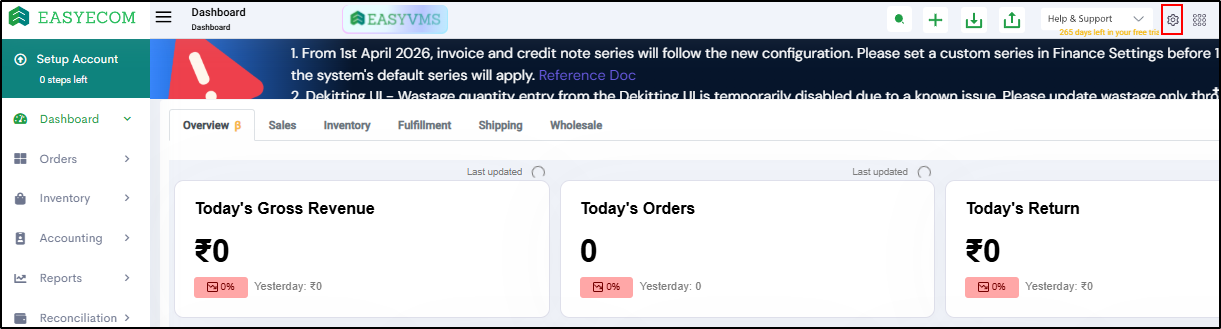
Location Key
Each warehouse location in EasyEcom has a location key that identifies the warehouse used for order processing and inventory updates.
This key identifies the warehouse used for order processing and inventory updates.
The location key for the required warehouse must be shared with the WMS team.
API Access
The WMS integration communicates with EasyEcom through APIs.
APIs used in this integration include:
- Authorization
- Get All Orders
- Assign Shipment Details
- Confirm Order
- Get Document by Invoice ID
- Generate Manifest
These APIs enable order processing and shipment status updates between EasyEcom and the WMS.
Integration Workflow
The integration enables the following data exchanges between EasyEcom and the WMS:
- Product master data is fetched from EasyEcom into the WMS.
- Orders are fetched from EasyEcom for fulfilment.
- Shipment details may be assigned from the WMS.
- Orders are confirmed after warehouse processing.
- Shipment documents are retrieved.
- Manifest is generated for dispatch.
- Tracking updates are synchronized.
Integration Touchpoints
| Touchpoint | Data Flow |
|---|---|
| Authorization | WMS → EasyEcom |
| Product Master Fetch | EasyEcom → WMS |
| Order Fetch | EasyEcom → WMS |
| Shipment Assignment | WMS → EasyEcom |
| Order Confirmation | WMS → EasyEcom |
| Document Retrieval | WMS → EasyEcom |
| Manifest Generation | WMS → EasyEcom |
Process Flow
Product Master Fetch
The WMS fetches product master data from EasyEcom.
Purpose:
- Retrieve the catalog maintained in EasyEcom.
- Identify SKUs required for warehouse operations.
Order Fetch
The WMS retrieves orders from EasyEcom.
API used: Get All Orders
Purpose:
- Import orders into the warehouse system for fulfilment processing.
Only orders eligible for fulfilment should be processed by the WMS.
Shipment Assignment (Optional)
Shipment details may be assigned from the WMS.
API used: Assign Shipment Details
Purpose:
- Push AWB and carrier details from the WMS to EasyEcom.
This step is used when shipment allocation is managed by the WMS instead of EasyEcom.
Split Shipment Note
In cases where orders are split across multiple shipments, shipment details may be assigned separately for each shipment from the WMS.
Order Confirmation
After warehouse processing, the WMS confirms the order.
API used: Confirm Order
Purpose:
- Initiate order confirmation.
- Allow generation of shipping documents such as invoices and labels.
Document Retrieval
After confirmation, shipment documents can be retrieved.
API used: Get Document by Invoice ID
Purpose:
- Retrieve invoice documents.
- Retrieve shipping labels.
- Obtain shipment related information required for dispatch.
Manifest Generation
Once the order is ready for dispatch, the manifest is generated.
API used: Generate Manifest
Purpose:
- Mark the order as dispatched.
- Update the shipment status in EasyEcom.
Orders will remain in Confirmed status until the manifest is generated.
Tracking Updates
Shipment tracking updates can be synchronized from the WMS.
Purpose:
- Ensure shipment status is updated in EasyEcom.
Order Cancellation
Orders cancelled in EasyEcom are reflected in the WMS when the WMS fetches updated order data from EasyEcom.
Cancelled orders should not be processed for fulfilment by the WMS.
Processing Sequence
For successful integration, the following execution order should be followed:
- Authorization
- Fetch Product Master
- Order Fetch
- Shipment Assignment (if required)
- Order Confirmation
- Document Retrieval
- Manifest Generation
- Tracking Updates
Following this sequence ensures that order status, inventory, and shipment updates remain consistent across systems.
Outcome
After the integration is implemented:
- Order processing and shipment status updates are synchronized between EasyEcom and the WMS.