Integrating Nykaa with EasyEcom
By following the below-mentioned procedure you can easily integrate Nykaa with EasyEcom.
Step 1: On the dashboard, click on the “Three dots aka meatball menu”
Step 2: Click on the “Account Settings” option
Once you click on the meatball menu, you will see the following fly-out menu:
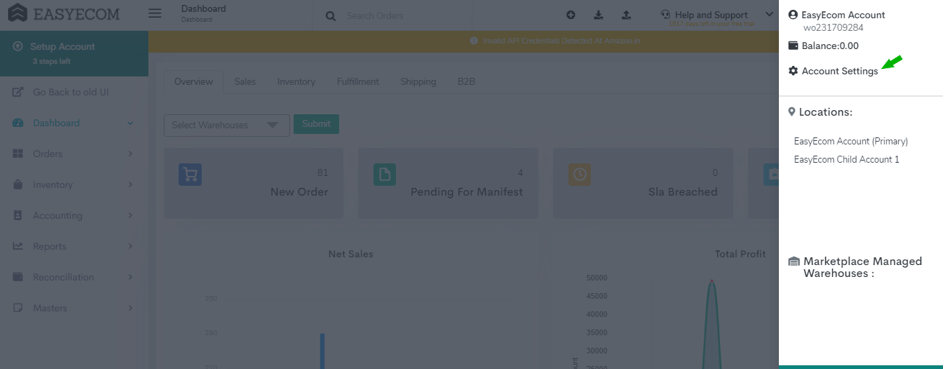
Here click on the “Account Settings” option.
Here click on the “Account Settings” option.
Step 3: Click on “Add Channels”
Once you click on Account Settings you will be navigated to the following page:
Step 4: Select Marketplace “Nykaa”
Once you click on “Add Channels” you will be navigated to the following page:
Here please click on the “Nykaa” button.
Once you click on it the following pop-up will appear:
You are required to enter your Username, Password and Seller ID in the required columns.
Please reach out to Nykaa Team for API Username, Password and Seller ID.
Note: If you enable the "Create Products Automatically" option, EasyEcom will automatically create a Master SKU of all your listed SKUs in Nykaa. This is the easiest way to mirror the catalogue from Nykaa to EasyEcom.
If you choose to not enable “Create Products Automatically”, you will have to upload the product master manually and map it with your Nykaa listings.
You have now successfully integrated Nykaa with EasyEcom.