Integrating Pepperfry with EasyEcom
The Pepperfry integration connects Pepperfry with EasyEcom. Here is the guide to complete the integration.
Workflow
Step 1: Open Add Channels
Go to: Settings → Add Channels
Step 2: Select Pepperfry
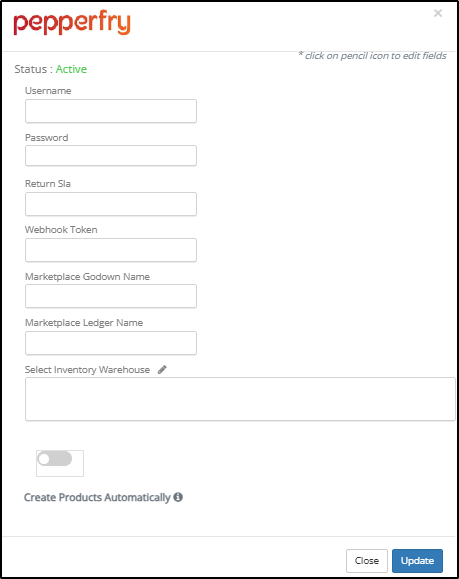
Step 3: Enter Pepperfry Integration Details
- Username (To be provided by the Pepperfry team)
- Password (To be provided by the Pepperfry team)
Enable Create Products Automatically if required.
Click Update.
Important Notes
- Only one Pepperfry integration can be added to an EasyEcom account.
- The same Pepperfry credentials cannot be used to integrate Pepperfry at another EasyEcom location.